
How to Convert PDF Invoices to Excel Easily?

Clara M.

Need to extract data from PDF invoices quickly and accurately? While PDFs are great for preserving document formatting across all devices, they're not as user-friendly when you need to work with data.
Many tools claim to convert PDFs to Excel, but our free tool stands out with the highest data accuracy and the most straightforward method. Convert your PDF files into structured Excel files effortlessly and efficiently with our solution.
Why Should You Convert Your PDF Invoices to Excel?
Excel is renowned for its powerful capabilities in data editing, filtering, and analysis. Many systems also require Excel format for data input. Converting PDF invoices to Excel streamlines data handling, saving time and reducing errors compared to manual data entry or copy-pasting.
This conversion enhances data accuracy and operational efficiency, making your business processes more reliable and cost-effective.
Easy Steps to Convert PDF Invoices to Excel
Many tools available for converting PDFs to Excel involve trade-offs between speed and accuracy: quick tools often sacrifice data precision, while accurate ones can be complex and take days to set up.
Smart Clerk streamlines this process to just 3 minutes from sign-up to export, with an impressive accuracy rate of over 98%.
This eliminates the need for complex code integration and lengthy model setups, freeing you from time-consuming administrative tasks.
Efficient Methods to Convert PDF Invoices to Excel Using Smart Clerk
Method 1: Quick Conversion with Demo Feature
For fast and straightforward PDF to Excel conversions, Smart Clerk offers a user-friendly demo on its homepage. Just upload your PDF using the drag-and-drop feature. After processing, a result pop-up will appear. Simply enter your email in the provided box and click "Export Invoice" to receive the converted Excel file in your inbox instantly.
💡 Pro Tip: This method is perfect for quick one-off conversions without creating an account.
Method 2: Comprehensive Automation with Smart Clerk Dashboard
For those seeking a more automated approach to invoice processing, the Smart Clerk Dashboard provides a robust solution. This method enhances your operational efficiency by streamlining the entire conversion process.
Convert PDF Invoices to Excel: A Step-by-Step Guide with Smart Clerk
Register and Log In
Sign up for Smart Clerk and access your personal dashboard. Registration is quick and easy, setting you up in no time.
Upload Your Invoices
Navigate to the "New Invoice" box located in the upper right corner of your dashboard. Upload your invoices by either directly uploading, using the drag-and-drop feature, or forwarding them to your secure email address set up during registration.

Upload your invoices through multiple methods in the Smart Clerk dashboard
Review Your Data
Once uploaded, review the automatically extracted data from your invoices displayed on your dashboard. Ensure everything is accurate and complete.
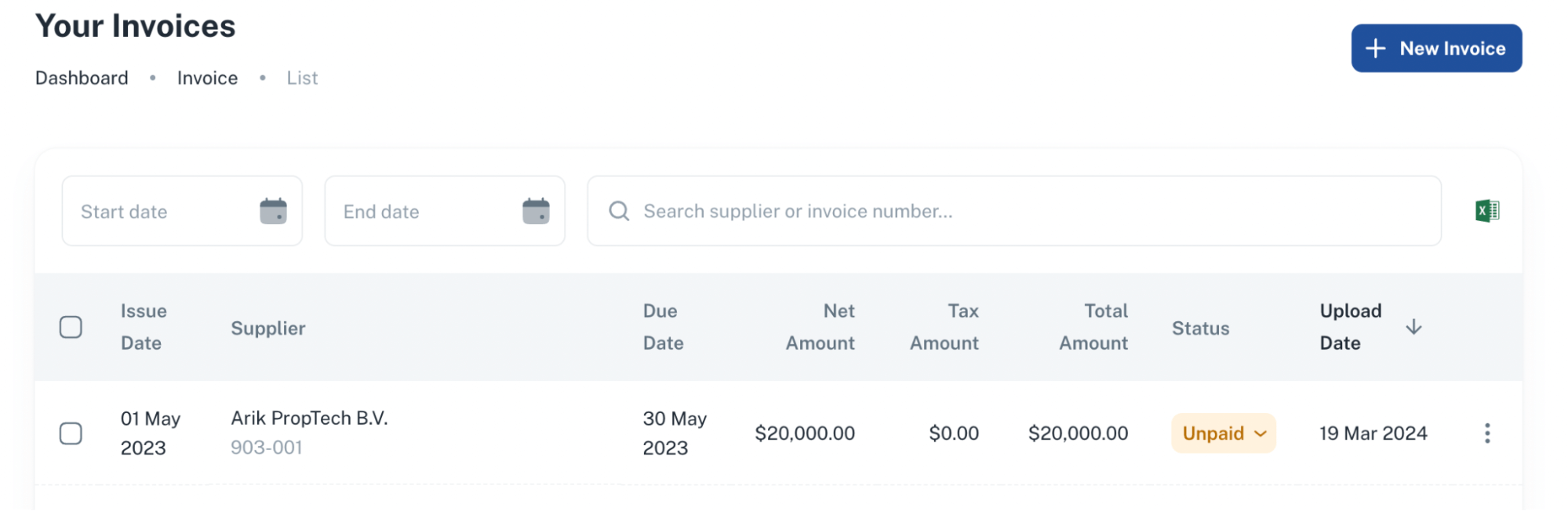
Review extracted invoice data with high accuracy in your dashboard
Export to Excel
Select the invoice you need to export. Click on the Excel icon located on the right side of your dashboard. Choose to download the standard format or with line items, depending on your needs. The Excel file will be ready for your use within moments.
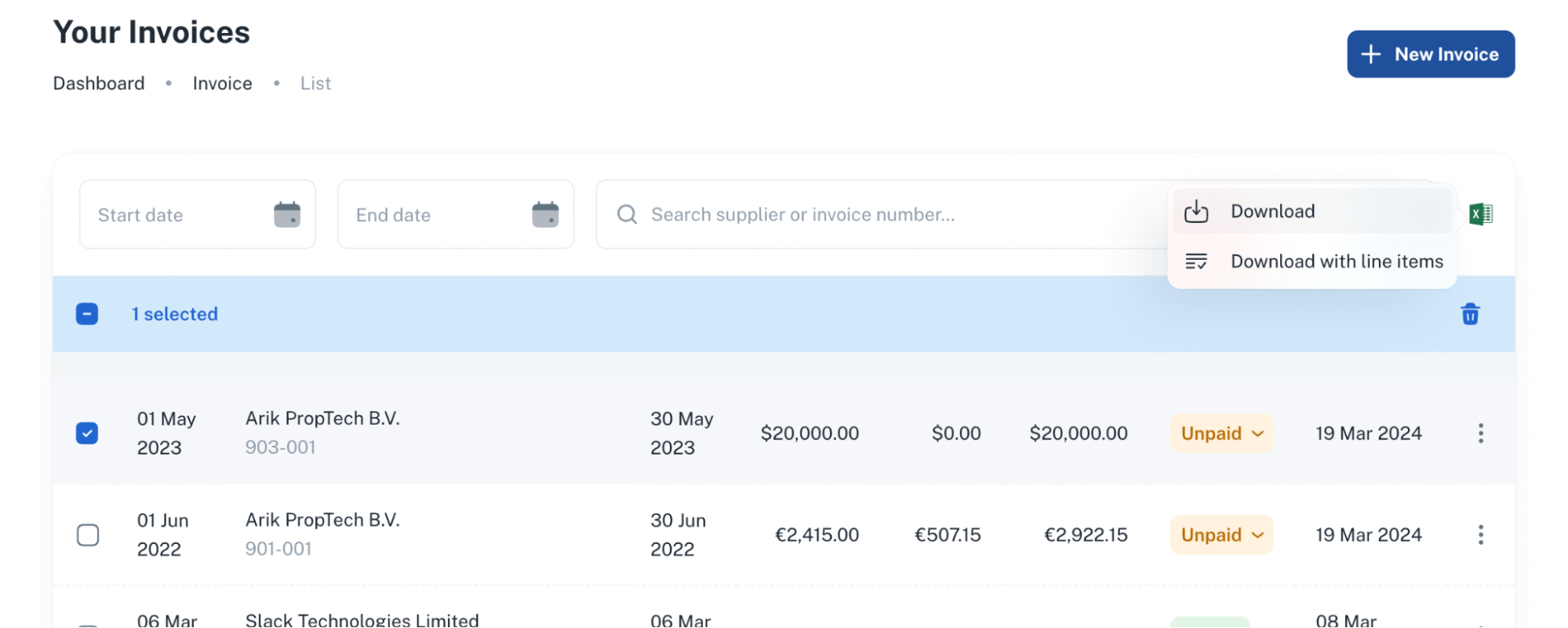
Export your processed invoices to Excel with one click
from sign-up to export
data extraction rate
no code required
Start Converting Your PDF Invoices to Excel Today!
Start your 14-day free trial of Smart Clerk, no credit card required, and discover the full suite of features designed to simplify your invoice processing. Start leveraging Smart Clerk to save time and enhance your ability to analyze data and gain crucial insights, all without any upfront investment.
Explore how easy and efficient managing your invoices can be with the most accurate PDF to Excel conversion tool on the market.
Ready to simplify your invoice processing?
Convert PDF invoices to Excel in minutes with 98% accuracy. Start your free trial today.
Start Free Trial